HOSPITALITY TECHNOLOGY
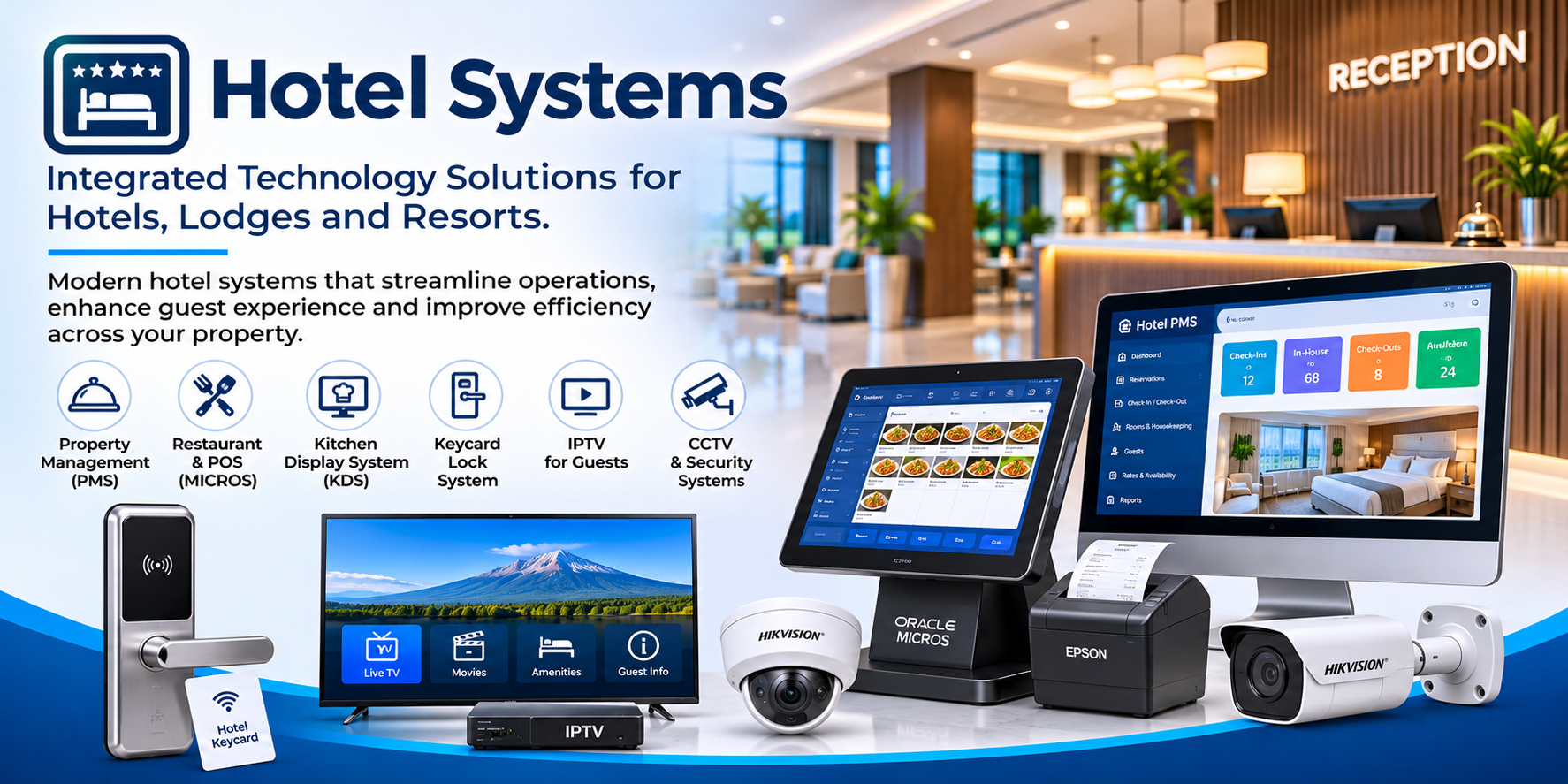
Hotel, restaurant & hospitality systems
Technology to support guest service, restaurant operations and the daily workflow of hotels, lodges, restaurants and hospitality venues.
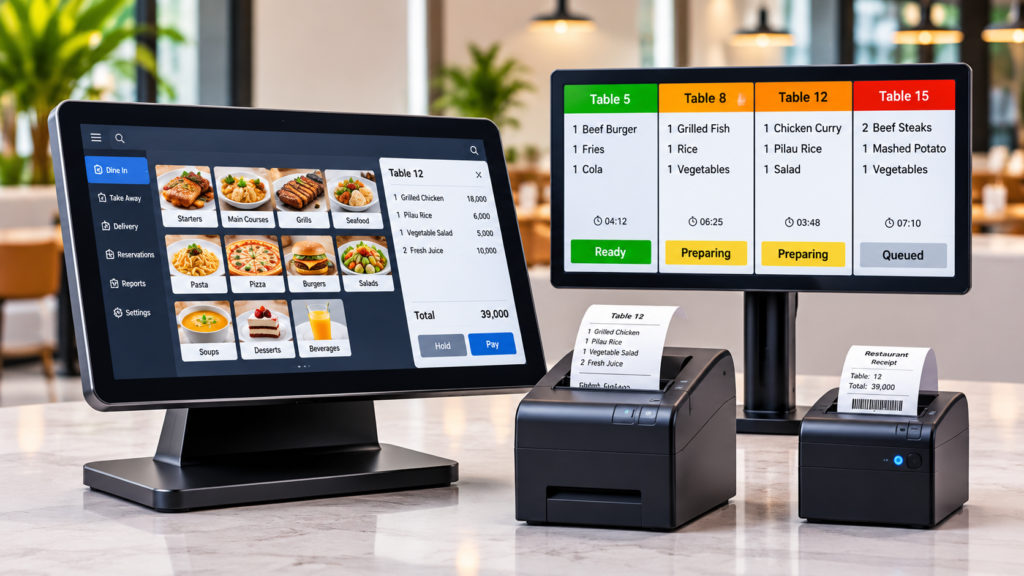
Integrated restaurant POS & kitchen workflow
Connect order taking, kitchen preparation and receipt printing with equipment and systems selected to suit your operation.
Point of Sale (POS)
Touchscreen terminals, restaurant POS peripherals, cash drawers and receipt printing for front-of-house operations.
Kitchen Display Systems
Kitchen display screens and order routing to help kitchen teams organise and track incoming orders.
Kitchen & receipt printers
Thermal receipt printers, kitchen order printers, network printers and accessories.
Supporting hospitality technology
- Hotel and restaurant management systems
- POS terminals and touch-screen computers
- Kitchen display screens and order management
- Receipt, kitchen and label printers
- Network infrastructure and guest Wi-Fi
- CCTV and access control integration
IPTV & in-room guest entertainment
Explore hospitality IPTV solutions for guest room television, welcome and information screens, and centrally managed content across hotels and lodges.
SMART GUEST SERVICES
QR Code Digital Menu & Room Service Ordering
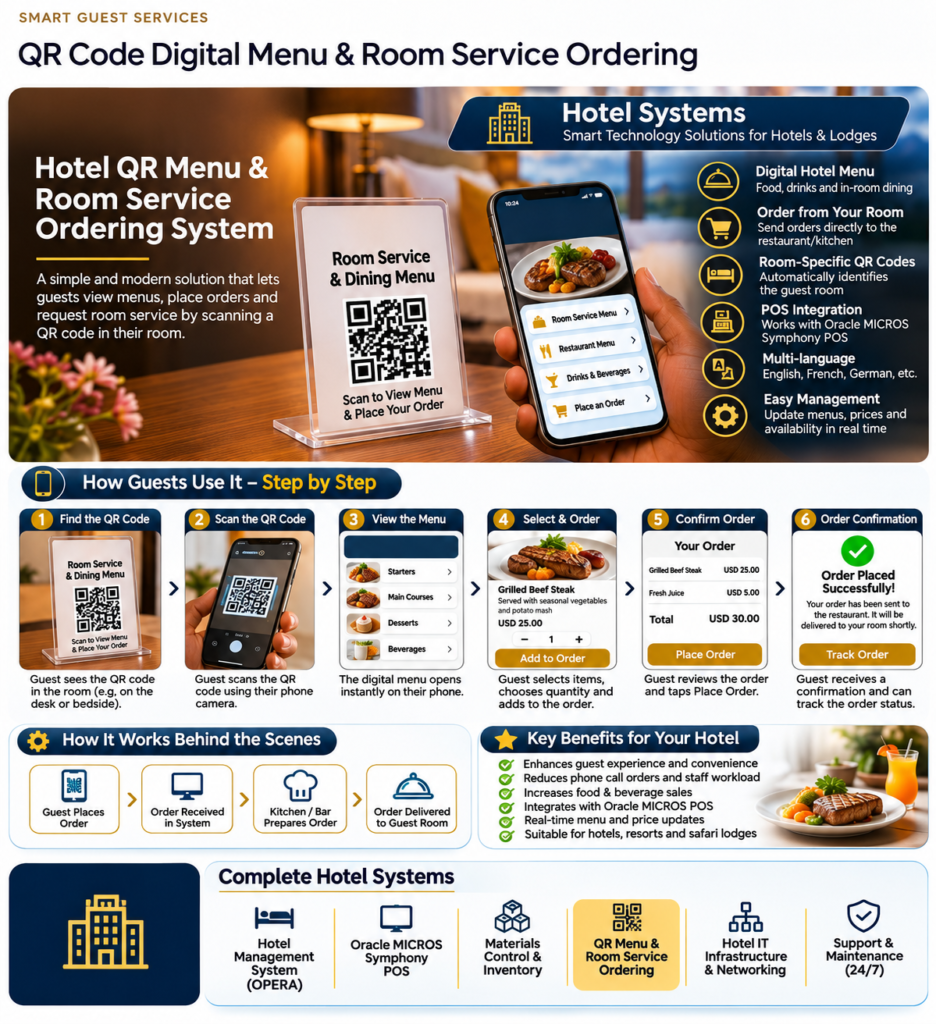
How guests use the QR menu — step by step
- Find the QR code: The guest sees a QR code displayed in the room, for example on the bedside table, room service card or desk.
- Scan the code: The guest opens the phone camera and scans the room-specific QR code. No application download is required.
- View the digital menu: The hotel menu opens on the phone, showing available food, beverages, descriptions, photos and prices.
- Select items: The guest chooses items, adjusts quantities and adds them to the order.
- Review and submit: The guest checks the order and submits it, with the room reference attached where configured.
- Receive confirmation: The guest sees an order confirmation. Hotel staff receive the request and process it for delivery to the room.
Make in-room dining easier with a mobile-friendly digital menu. Guests scan a QR code placed in their room to browse food and beverage menus, view descriptions and prices, and — when ordering is enabled — submit room service requests from their own phones. No app installation is required.
Guest-friendly digital menus
Display food and beverage categories, item photos, descriptions, prices and menu updates in a responsive layout for mobile phones.
Room-specific QR codes
Assign a unique QR code to each guest room so room details can be included with an order, subject to the hotel’s preferred guest verification process.
Room service ordering
Allow guests to submit orders and send them to the designated hotel team for confirmation and preparation.
Optional integrations and management
- Central dashboard for managing menus, prices, categories and availability
- Multiple languages for international guests
- Order notifications for restaurant, bar or room service teams
- Optional room-charge workflow, subject to hotel approval and billing integration
- Potential integration with Oracle MICROS / Symphony POS, subject to the hotel’s version, licensed interfaces and technical assessment
- QR code generation, printing and deployment support
How it works: Guest scans the room QR code → opens the digital menu → selects items → submits an order → hotel team receives and processes the request.
Discuss your hospitality technology project
Tell us about your property, restaurant or service workflow and the systems you need.